

Nel tutorial che andremo a seguire impareremo come creare un effetto di testo mosaico. Un semplice rettangolo riempito con un colore piatto, un gradiente radiale e un effetto grana della pellicola saranno la base per i tasselli del nostro mosaico in Adobe Illustrator.
Related Posts
02
Mar2023

Create Water in Bathtub in 3ds Max with Chaos Phoenix
This video tutorial shows us how to create very realistic water in a bathtub in 3ds Max. We will use the Chaos Phoenix plugin, a really powerful tool. The lesson…
14
Aug2014

Creating Grungy Metal Material in Blender – Tutorial
This step-by-step video tutorial demonstrates the process of creating a grungy metallic material in Blender. A very interesting lesson for getting dated materials that add realism to the scenes.
18
Oct2016

Create a Simple Search Icon in Adobe Illustrator
In this very fast 60 second video tutorial we will see how to create the simple but classic search icon in vector graphics using Adobe Illustrator. A very easy exercise…
11
Sep2015

The Flash Running Effect in After Effects
This video tutorial shows how to create the Flash superhero run effect in After Effects CC 2015. An effect we get using Particular the famous Trapcode plug-in.
27
Jun2018
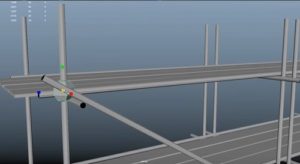
Modeling Low Poly Scaffolding in Maya 2018
In this interesting video tutorial we will see how to create 3D shelves with a few polygons using the Autodesk Maya 2018 modeling and rendering program. A very detailed lesson…
06
Jul2023

Create Gold Title in Maxon Cinema 4D
In this video tutorial we will see how to make gold titles using Cinema 4D. An excellent exercise to create and animate precious writings and logos. A detailed lesson for…
